Software Advisory
Unlock New Levels of Efficiency
Quickbooks
Affordability
Automatic Backups and Security
Integration with Third-party Apps
Mobile Access
Simple Navigation
Streamlined Workflows
Scalable Pricing Plans
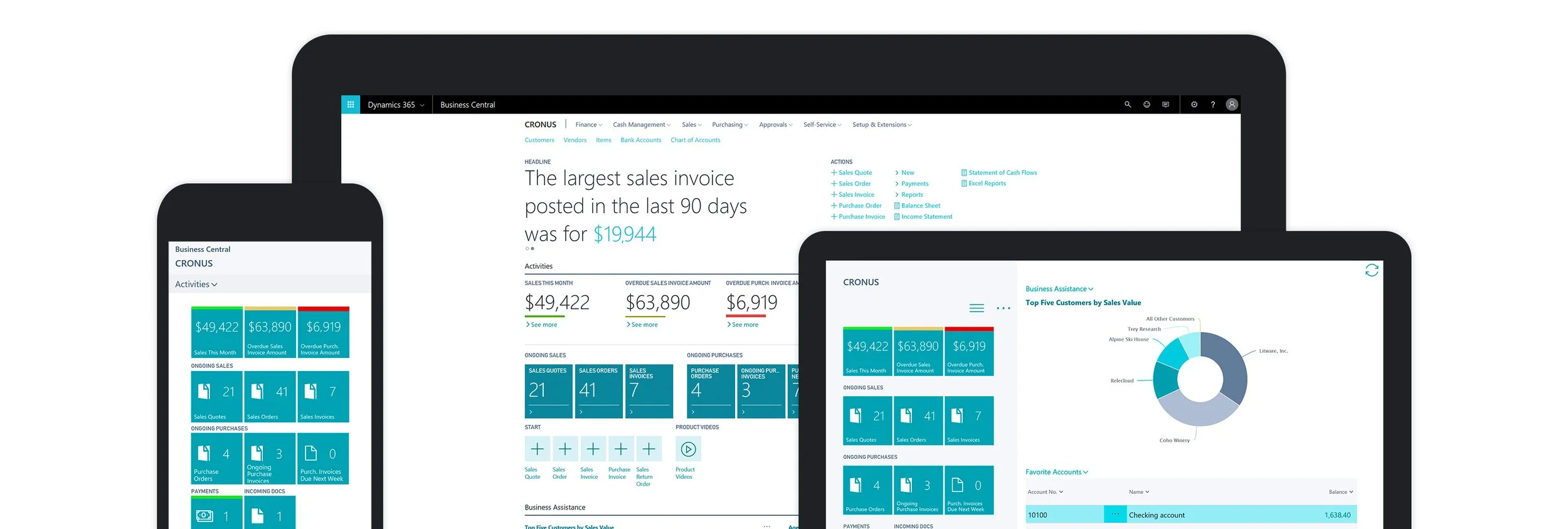
Dynamics 365
Tailored Business Solutions
Seamless integration with Microsoft Ecosystem
Advanced Analytics and Reporting
Audit Based Transaction Recording
Enhanced Security and Compliance
Streamlined Workflows
AI and Machine Learning Capabilities
Xero
Cloud Based
Real-time Collaboration
Automated Bank Reconciliation
Inventory Management
Expense Tracking
Integration with Third-party Apps
Scalable Pricing Plans
Comprehensive Integration
Seamless integration capabilities are crucial for an ERP system to effectively connect various departments, processes, and data sources within an organization. This ensures smooth data flow and facilitates real-time decision-making.
Scalability and Flexability
An ERP system should be scalable to accommodate business growth and flexible enough to adapt to changing requirements, whether it's adding new users, modules, or functionalities.
Robust Security Measures
Given the sensitivity of the data managed by ERP systems, robust security features such as encryption, access controls, and authentication mechanisms are essential to protect against cyber threats and unauthorized access.
Customization Options
Customization capabilities allow businesses to tailor the ERP system to their specific needs, workflows, and industry requirements. This ensures that the ERP solution aligns closely with the organization's processes and objectives.
Empowering Success Through Tailored Solutions
User-Friendly Interface
A user-friendly interface enhances usability and adoption rates among employees. Intuitive navigation, clear layouts, and customizable dashboards make it easier for users to access and utilize the ERP system effectively.
Comprehensive Reporting and Analytics
Advanced reporting and analytics capabilities provide insights into key business metrics, trends, and performance indicators. ERP systems should offer robust reporting tools that enable users to generate custom reports, visualize data, and make data-driven decisions.

Simplify the Deployment Process
Cloud-based ERP solutions streamline the deployment process by eliminating the need for complex on-premises infrastructure setup. With cloud deployment, businesses can get up and running faster, reducing deployment timelines and minimizing disruptions to daily operations.
From Crisis to Comeback
Cloud-based ERP systems offer built-in disaster recovery and data backup capabilities, ensuring business continuity in the event of hardware failures, natural disasters, or other disruptions. With data stored securely in the cloud, businesses can quickly recover and resume operations with minimal downtime.
Frequently asked questions
-
ERP implementation typically includes: project planning, requirements gathering, system selection, customization/configuration, data migration, testing, training, and post-implementation support.
-
The duration of ERP implementation varies depending on factors such as the size of the organization, complexity of the project, customization requirements, and availability of resources. On average, ERP implementation can take anywhere from several months to over a year.
-
To ensure a successful implementation, organizations should involve key stakeholders from the beginning, clearly define project goals and objectives, allocate sufficient resources, conduct thorough testing, provide comprehensive training, and establish a change management strategy.
-
The choice between cloud-based and on-premises ERP systems depends on factors such as budget, scalability, security requirements, and IT infrastructure. Cloud-based ERP systems offer greater flexibility, scalability, and accessibility, while on-premises solutions provide more control over infrastructure.